bring a friend to yam!
Instructions for using FitDegree to invite a friend to class or workshop. Please note *ALL attendees must have a FitDegree account and have completed the digital waivers. This is for everyone's protection. There are a few ways to share classes, but none can be completed until all attendees have completed a profile. Click here to sign up for FitDegree.
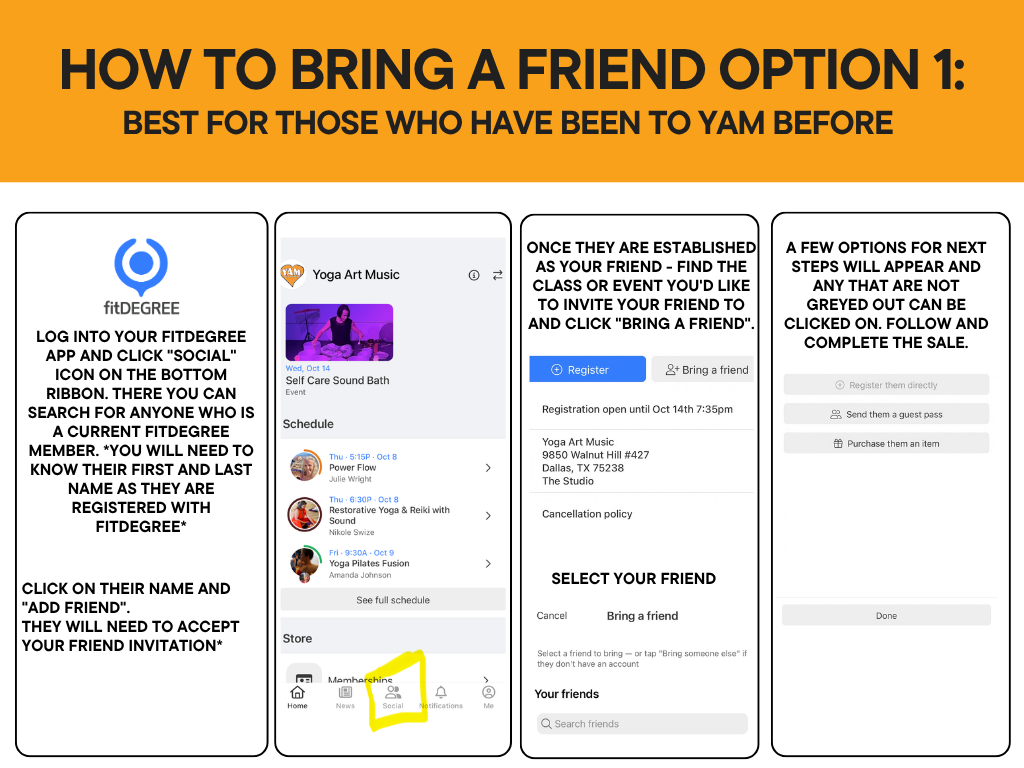
OPTION ONE (best used for those who are regular YAM students or have been to a class here since we've changed software to FitDegree):
- Log into your FitDegree App and click "Social" icon on the bottom ribbon. There you can search for anyone who is a current Fitdegree member. *You will need to know their first and last name as they are registered with FitDegree*
- Click on their name and "Add Friend". They will need to accept your friend invitation.
- Once they are established as your friend - find the class or event you'd like to invite your friend to and click "Bring a friend".
- A few options for next steps will appear and any that are not greyed out can be clicked on. Follow and complete the sale.
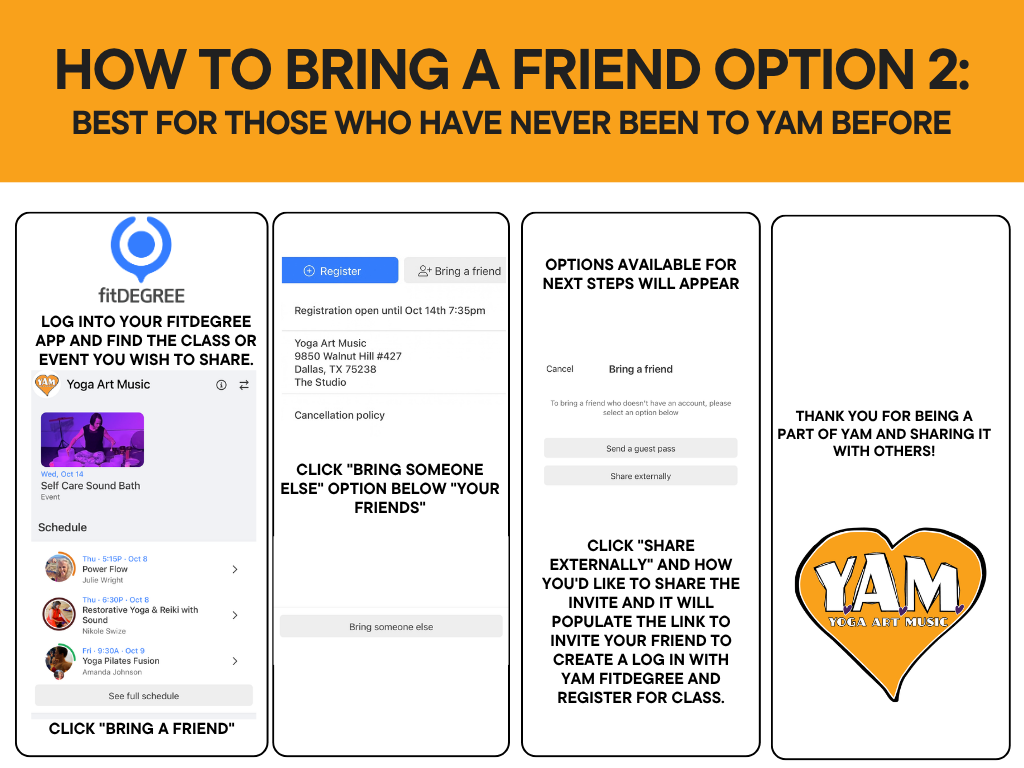
OPTION TWO (for those who are not yet registered with FitDegree at YAM and you are *NOT* purchasing, just inviting them to join you):
- Find the class or event you wish to share.
- Click "Bring a friend"
- Click "Bring someone else" option below "Your Friends"
- Options available for next steps will appear
- Click "share externally" and how you'd like to share the invite and it will populate the link to invite your friend to create a log in with YAM FitDegree and register for class.
Sharing is caring! Xoxo.